Departments / Procurement

Procurement

Budget variance, unit cost trend, supplier risk.

This department's pain

Sound familiar?

  • Did raw material get more expensive? No answer without digging through the invoice folder.
  • How dependent are we on which supplier — nobody works it out.
  • Have we blown the budget? You find out at month-end.
  • We buy the same material from different suppliers at different prices and nobody notices.
Procurement department

What does ATLAS read?

Purchase invoices, supplier records, material codes and unit prices, and the procurement budget.

Data entry

What does ATLAS make easier?

A simple entry screen for quote and order tracking — which supplier quoted what, recorded side by side.

Metrics it tracks

What does it look at in this department?

Sample questions

What does this department's manager ask ATLAS?

No spreadsheets, no formulas, no report requests — you write it exactly as you would say it.

“How much has this material's price risen in six months?”
“How much did I pay Supplier 3 in February?”
“Where am I against budget?”
“Which is my most expensive raw material line?”
Early warning

It tells you before you ask

ATLAS: 28.8% of your purchases come from a single supplier — that is concentration risk. Material HM-010 has risen 12% in six months.
← All departments
Screenshot

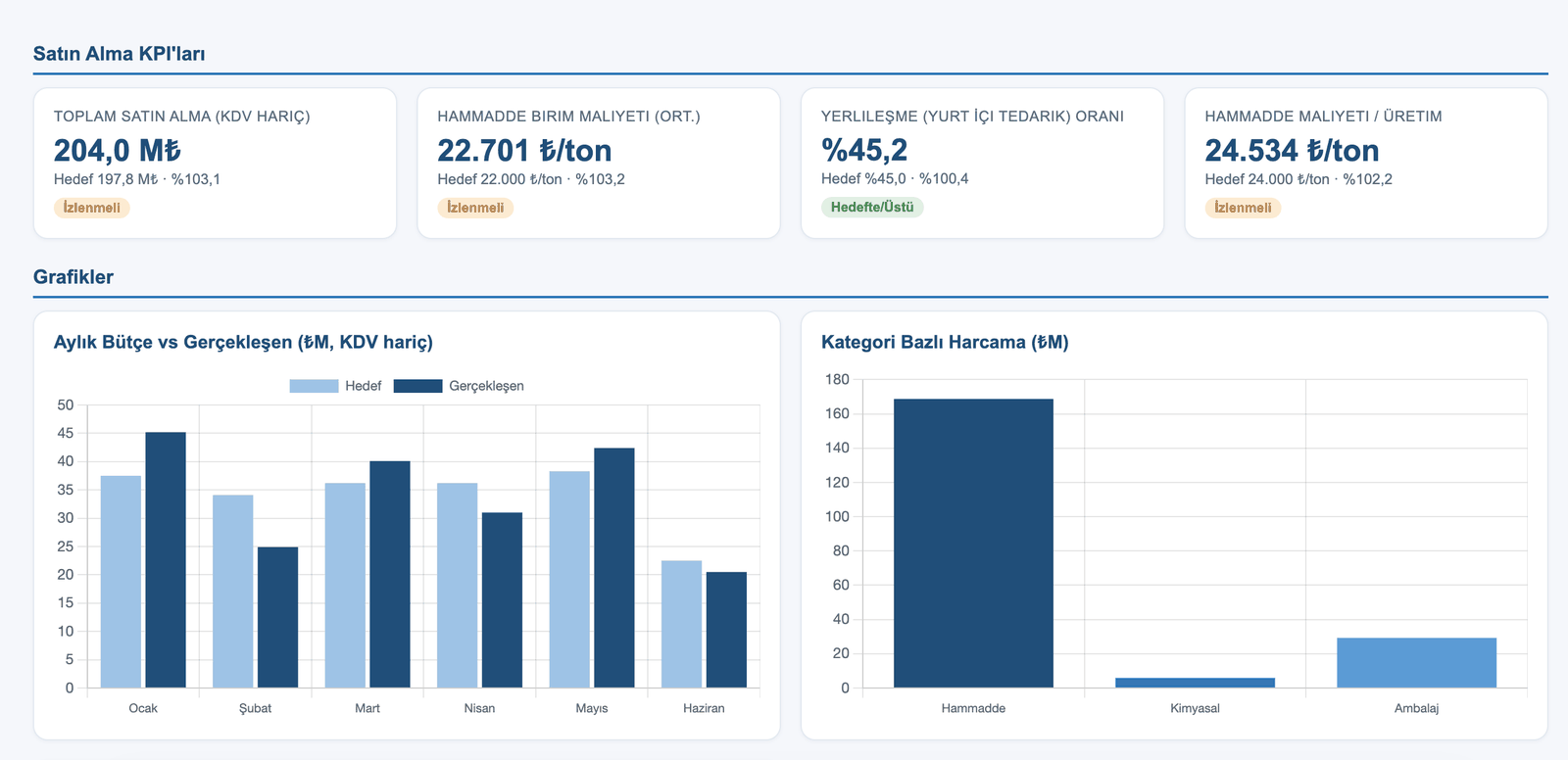
Procurement dashboard

The dashboard below was produced from the real data of the PÜRSU Paper case study.

ATLAS Procurement dashboard — KPI cards and charts
Target vs. actual comparison, status labels (On Target / Watch / Off Target) and trend charts.

See your procurement department in ATLAS.

In the demo call we work with this department's own data.

Request a live demo